The CDRC Diabetes Module is designed to make it easy and efficient for practices to identify patients at high risk of Diabetes, instigate appropriate intervention and manage existing Diabetic patients. In particular it is designed to integrate into other primary prevention and long term condition management.
Accessing CDRC resources on SystmOne
To access the below resources you will need to be a member of the DCS group on SystmOne. To do this, please follow the instructions on the CDRC SystmOne Access webpage.
Set-Up
You will need to perform certain actions before using the CDRC Diabetes Prevention/Identification scheme:
- Ensure that the practice is a member of the DCS organisation group on SystmOne. If the practice is not a member, you can find out how to join the group by clicking here.
- Ensure that the following patient status alerts are enabled:
- CDRC NAFLD
- CDRC At high risk of diabetes
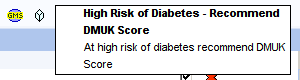
- High risk of diabetes – Recommend DMUK Score
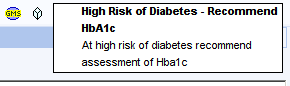
- High risk of diabetes – Recommend HbA1c
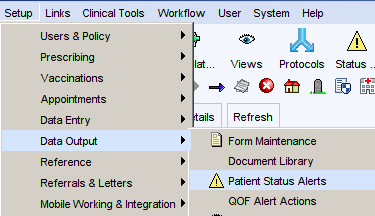

- Contact CDRC to ask for the diabetes prevention alerts to be activated at your unit by emailing contact-cdrc@ahsn-nenc.org.uk
- This step is not essential but is quite helpful for reviewing patients
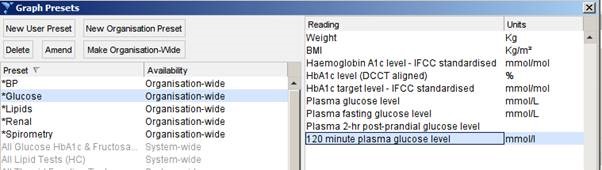
- Set up a pathology preset to help with the review of patient records
- Retrieve any patient
- Click on the Pathology button on the top ribbon
- Select any of the preset options
- Click Edit Presets
- Click New Organisation Preset
- Use the name * Glucose
- Select the following numerics
Reports
Diabetes Prevention
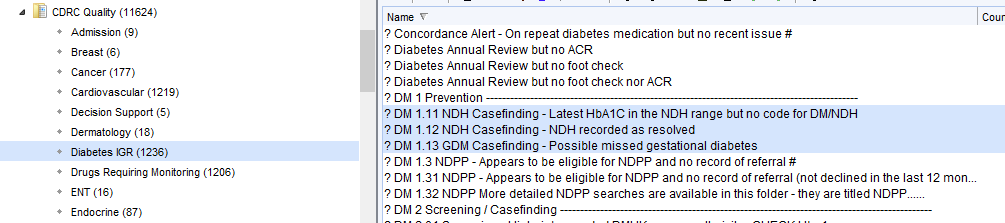
The highlighted reports below ensure that disease registered for patients with Diabetes and Non-diabetic hyperglycaemia (NDH) are accurate and up to date.
These reports are found in the folder CDRC Quality > Diabetes IGR
| Report Name | Returns |
| ? DM 1.11 NDH Casefinding – Latest HbA1C in the NDH range but no code for DM/NDH | Patients whose last HbA1c is in the NDH range 42-47 who aren’t diagnosed with NDH (or equivalent) |
| ? DM 1.12 NDH Casefinding – NDH recorded as resolved | Patients who have been coded as IGR resolved. Such patients will not be flagged with an NDH icon on their record and will not be recalled in the CDRC recall system. QoF does not count ‘IGR Resolved’ codes so they will still be counted for QoF purposes. You may wish to consider removing the resolved code. Long term checking of HbA1c is recommended for patient with NDH even if HbA1c is currently back in the normal range. |
| ? DM 1.13 GDM Casefinding – Possible missed gestational diabetes | Women who have had prescriptions for BM testing equipment during reproductive years. This might be due to gestational diabetes. Consider reviewing the record and coding gestational diabetes if appropriate. |
The following reports help identify patients eligible for the National Diabetes Prevention Programme (NDPP).
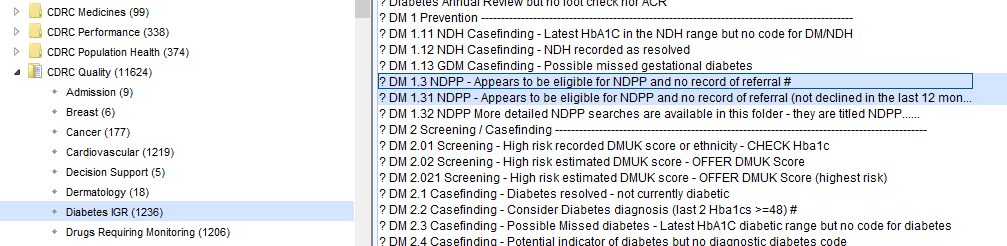
More detailed eligibility reports are available, subdivided into those patients who are/are not coded with NDH. This allows practices to take a different approach for patients who may need to be informed of their NDH diagnosis before invitation – they may be ‘missed NDH’ patients.
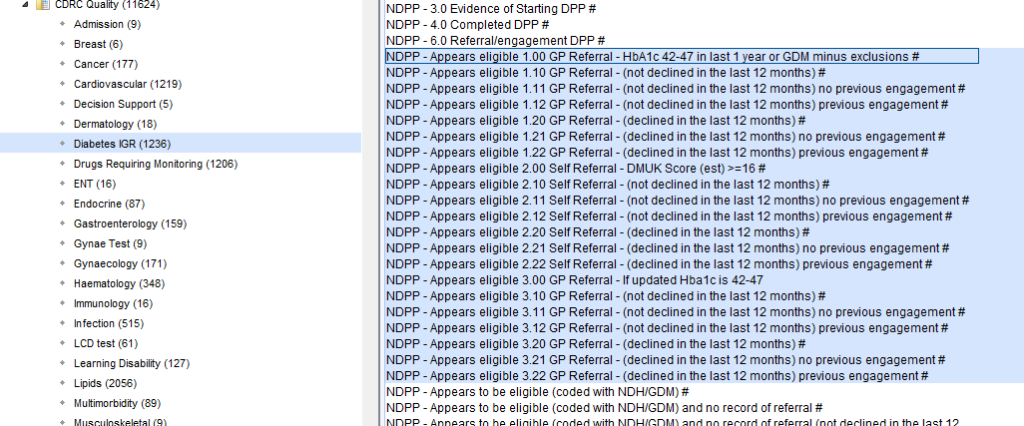
You can invite patients eligible for NDPP via In person, Postal Invitation, Electronic Invitation (using the communications annexe), or via E-mail.
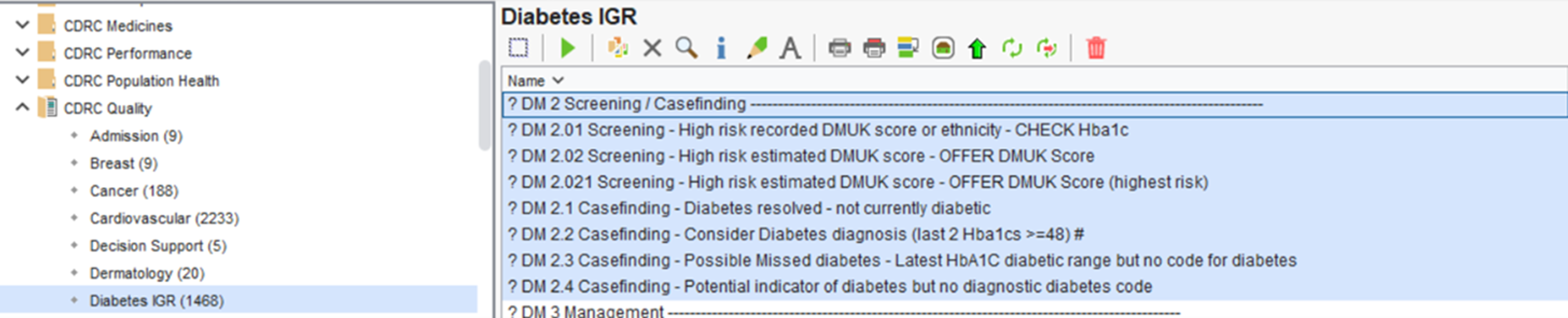
Diabetes Screening / Casefinding
These highlighted reports identify patients with potentially un/miscoded Diabetes and patient you may want to offer a DMUK score.
Consider reviewing the records of the identified patients returned from these reports and offer a DMUK score or to add the correct code their records if appropriate and coding gestational diabetes if appropriate.
These reports are found in the folder CDRC Quality > Diabetes IGR
Diabetes Management
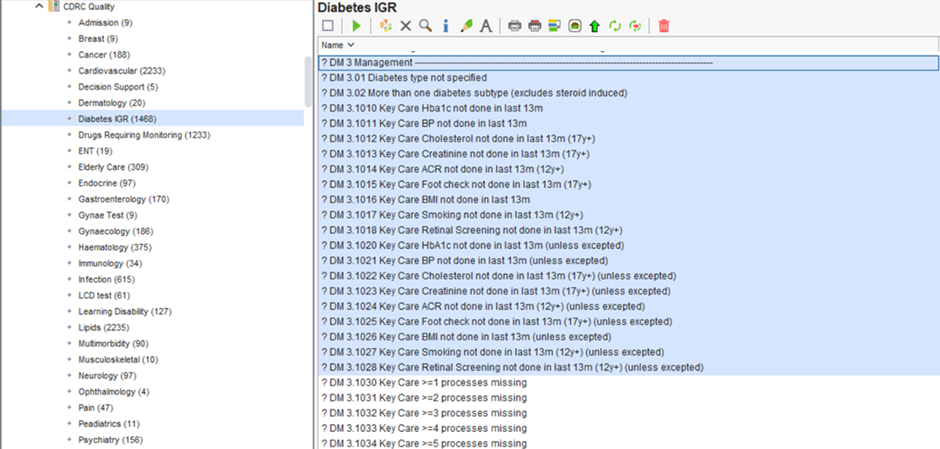
There are a significant number of reports available to support you with the management of your Diabetic patients.
These reports are found in the folder CDRC Quality > Diabetes IGR
These reports return Diabetic patients who have an unspecific Diabetes type and those who have overdue monitoring.
GLP1
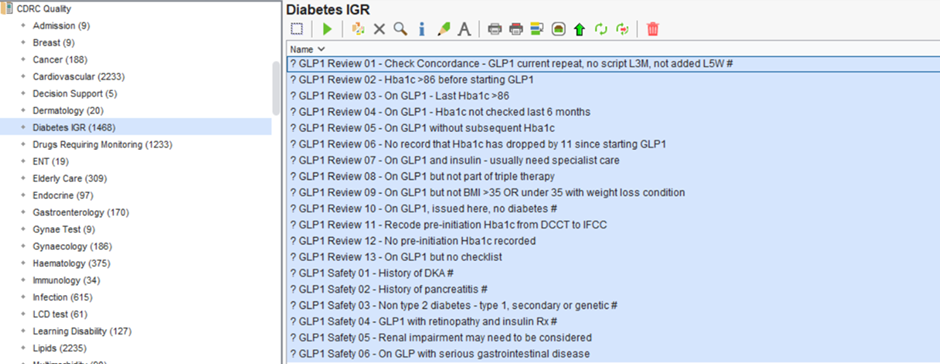
Specific reports for GLP1 Review and Safety that can be found in the folder CDRC Quality > Diabetes IGR
Missed ACR and Foot Checks
The following reports identify patients who have had an annual diabetes review (at least a month ago) who haven’t submitted a urine for ACR or haven’t had a foot check. Foot checks and ACR are the areas of worst performance w.r.t. key care processes nationally.
Setting these reports to batch report at regular intervals to your admin staff allows these patients to be prompted to arrange these tests. Information about automatic reporting can be found here Automated Reporting.
These reports can be found in the folder CDRC Quality > Diabetes IGR

Diabetes Drug Reports
These reports have been created using the County Durham and Darlington integrated diabetes model.
These reports can be found in the folder CDRC Quality > Diabetes IGR
Reports to identify possible overtreatment:
| Report Name | Returns | |
| DIABREVIEW001 | Housebound, care home resident, palliative care register, moderate/severe frailty | |
| DIABREVIEW002 | Overtreatment: On any glucose lowering treatment and last Hba1c < 42 | |
| DIABREVIEW003 | Overtreatment: On monotherapy with any agent capable of causing hypoglycaemia and last Hba1c <48 | |
| DIABREVIEW004 | Overtreatment: On two or more glucose lowering drugs and Hba1c <48 | |
| DIABREVIEW005 | Overtreatment: Over 70 or mild frailty, on sulfonylurea or insulin and Hba1c <53 | |
| DIABREVIEW006 | Overtreatment: Moderate frailty, on sulfonylurea or insulin and Hba1c <59 | |
| DIABREVIEW007 | Overtreatment: Severe frailty/palliative care, on sulfonylurea or insulin and Hba1c <59 | |
| DIABREVIEW008 | Overtreatment: Severe frailty/palliative care on third line agent | |
| DIABREVIEW009 | Low engagement – On treatment but no Hba1c in the last 8 months | Excludes GSF green/amber/red, end of life and moderate and severe frailty |
| DIABREVIEW010 | Low engagement – On repeat diabetes medication but no recent issue |
Reports to identify patients who might be eligible for drug switches:
| Report Name | Returns |
| DIABSWITCHCDD001 | DPP4 (not alogliptin) and Hba1c <58 ? switch to alogliptin |
| DIABSWITCHCDD002 | DPP4 and HbA1c >58 ?Stop DPP4 |
| DIABSWITCHCDD003 | Type 2 on analogue insulin Hba1c <70 ? Switch to human insulin |
| DIABSWITCHCDD004 | Type 2 on analogue insulin no recent Hba1c <70 ? Switch to human insulin |
| DIABSWITCHCDD005 | Type 1 on Lantus. ?Switch to abasaglar |
| DIABSWITCHCDD006 | On GLP1 more than 6 months and no recent Hba1c <70 ?Is GLP1 still appropriate |
| DIABSWITCHCDD007* | Type 2 (no insulin pump) but non-formulary strip ? Change to formulary strip |
| DIABSWITCHCDD008* | Diabetes (not type 2, no insulin pump) but non-formulary strip ? Change to formulary strip |
| DIABSWITCHCDD009* | Insulin pump but non-formulary strip ? Change to formulary strip |
Diabetes Performance
The following reports can give you an overview of the HbA1c management at your unit.
These reports can be found in the folder CDRC Quality > Diabetes IGR
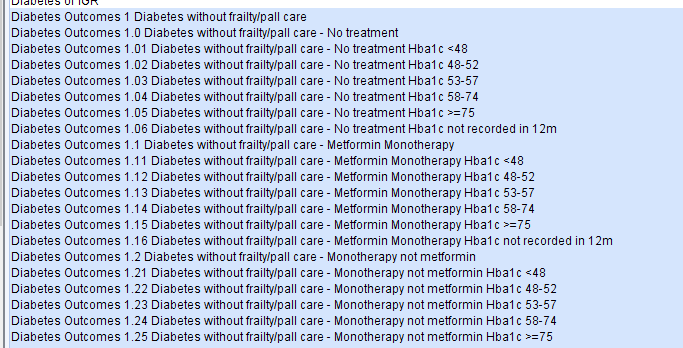
The reports are subdivided into different treatment regimens and HbA1c achievement.
The following algorithm is used to highlight patients for review.
Patients who are not on the frailty or palliative care registers
| No treatment | Oral Monotherapy Metformin | Oral Monotherapy Other | Oral Dual Therapy with Metformin | Oral Dual Therapy w/o Metformin | Oral >=3 Therapy with Metformin | Oral >=3 Therapy with Metformin | GLP1 no insulin | Insulin | |
| >=75 | NPR | NPR | NPR | NPR | NPR | NPR(S) | NPR(S) | NPR(S) | NPR(S) |
| 58-74 | NR | NR | NR | NR | NR | NR | NR | NR | NR(S) |
| 53-57 | NR | NA | NA | NA | NA | NA | NA | NA | NA |
| 48-52 | NUR | NA | NA | NA | NA | NA | NA | NA | CDPR |
| <48 | NA | NA | NA* | CDPR* | CDPR* | CDPR* | CDPR* | CDPR* | SA |
NA – No action
SA – safety alert
CDPR – Consider deprescribing/dose reduction review
NUR – Non-urgent review
NR – Needs review
NPR – Needs prompt review
(S) – indicates that specialist input may be needed depending on local expertise
* – upgraded to safety alert if the patient is taking a sulfonylurea
The algorithm looks for the last HbA1C result when that result in at least 15 weeks old.
Patient Status Alerts
Screening of Patients at High Risk of Diabetes
Eligible for Diabetes UK Score
The clinical system will identify patients who are at high risk of diabetes who have not yet been coded with any form of impaired glucose regulation or gestational diabetes or NAFLD. They will be identified by the sugar cube icon to the right of the GMS icon. The patients are identified based on information such as BMI, waist circumference, age, hypertension, sex, ethnicity and family history.
These patients could be offered an assessment of their diabetes risk using the Diabetes UK Risk Score. This can be done as part of an annual review, opportunistically or by specific recall.

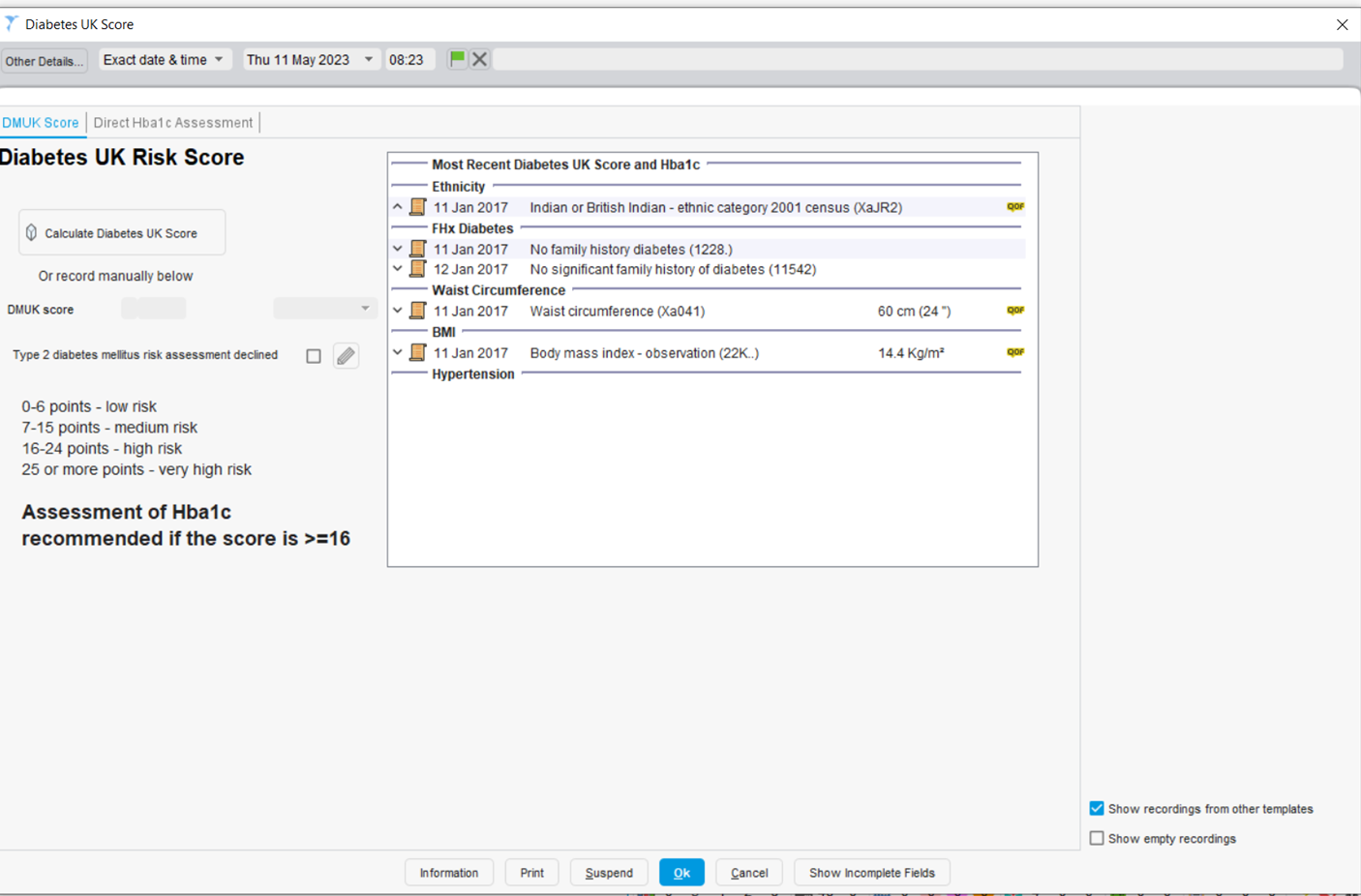
Clicking on the icon will take you to the Diabetes UK Score template. The right panel shows the information that is needed for calculating the score. If you have just completed a LTC annual review this information will probably be up to date. Clicking on the Launch Diabetes UK Score button will calculate the DM UK Score. If any data is missing or out of date you will be prompted to enter up-to-date data during this process. If the DM UK Score is 16 or over (which it will be for the majority (~90%) of these patients) you should offer them an assessment of their HbA1c level.
Data from pilot practices suggested that around 4% of those with a score >=16 with have diabetes and 40% IGR.
Patients with an HbA1c between 42 and 47 should be coded with impaired glucose regulation.
Patients over 25 from high risk ethnicity groups with a BMI >23 should be offered an assessment of HbA1c without a DMUK risk assessment as their risk of diabetes is so high. These patients are identified by a patient status alert, as are those patients with an actual DMUK score >=16 who have not taken up the offer of an HbA1c test.
Patients known to be at high risk
All patients who have a code suggesting a high risk of diabetes will be identified with a sugar cube icon to the left of the GMS icon, on the patient home screen and on the CDRC LTC Master template.

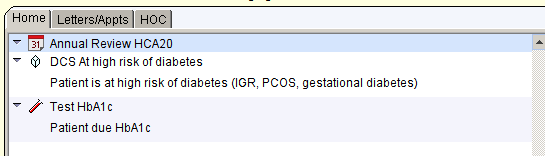
Qualifying codes include: IFGT, IGT, IGR, non-diabetic hyperglycaemia, pre-diabetes, PCOS, gestational diabetes
Patients estimated to be at high risk
All patients who are estimated to be at high risk of diabetes, based on information such as BMI, age, sex etc will be identified by a sugar cube to the right of the GMS icon. Patients who have an HbA1c measurement or diabetes UK score calculated in the past three years will not have the icon
Patients who should be offered an HbA1c without further assessment
Again, identified by a sugar cube to the right of the GMS icon. These are patients:
- Over 25 with South Asian, Chinese, black African or Afro-Caribbean ethnicity with a BMI >23
- Patients with an actual DMUK score >=16 but no subsequent record of HbA1c assessment
Templates:
Diabetes – CDRC
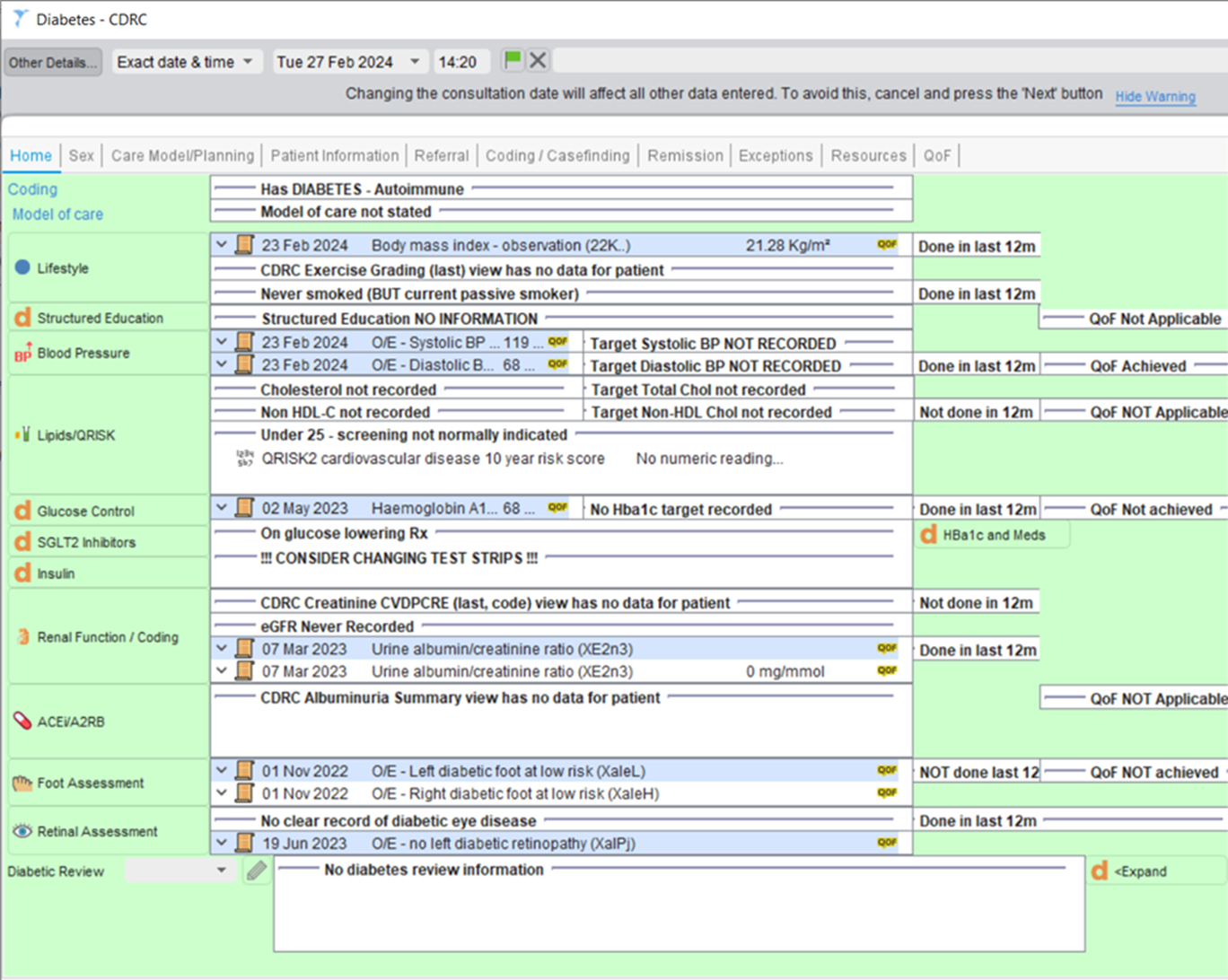
The Diabetes – CDRC Data Entry Template can be accessed by using the search bar in the bottom left-hand corner of SystmOne.
The Home page displays a summary of key information and measurements for the patient. From here, you can navigate to other Data Entry Templates such as Lipids, Renal Function / Coding and to perform Foot/Retinal Assessments.
You can also navigate to the different pages of this template (Sex, Care Model/Planning, Patient Information etc.) by clicking on the page headings at the top of the template. These pages will provide you with further information and the ability to input information onto the patient’s record.
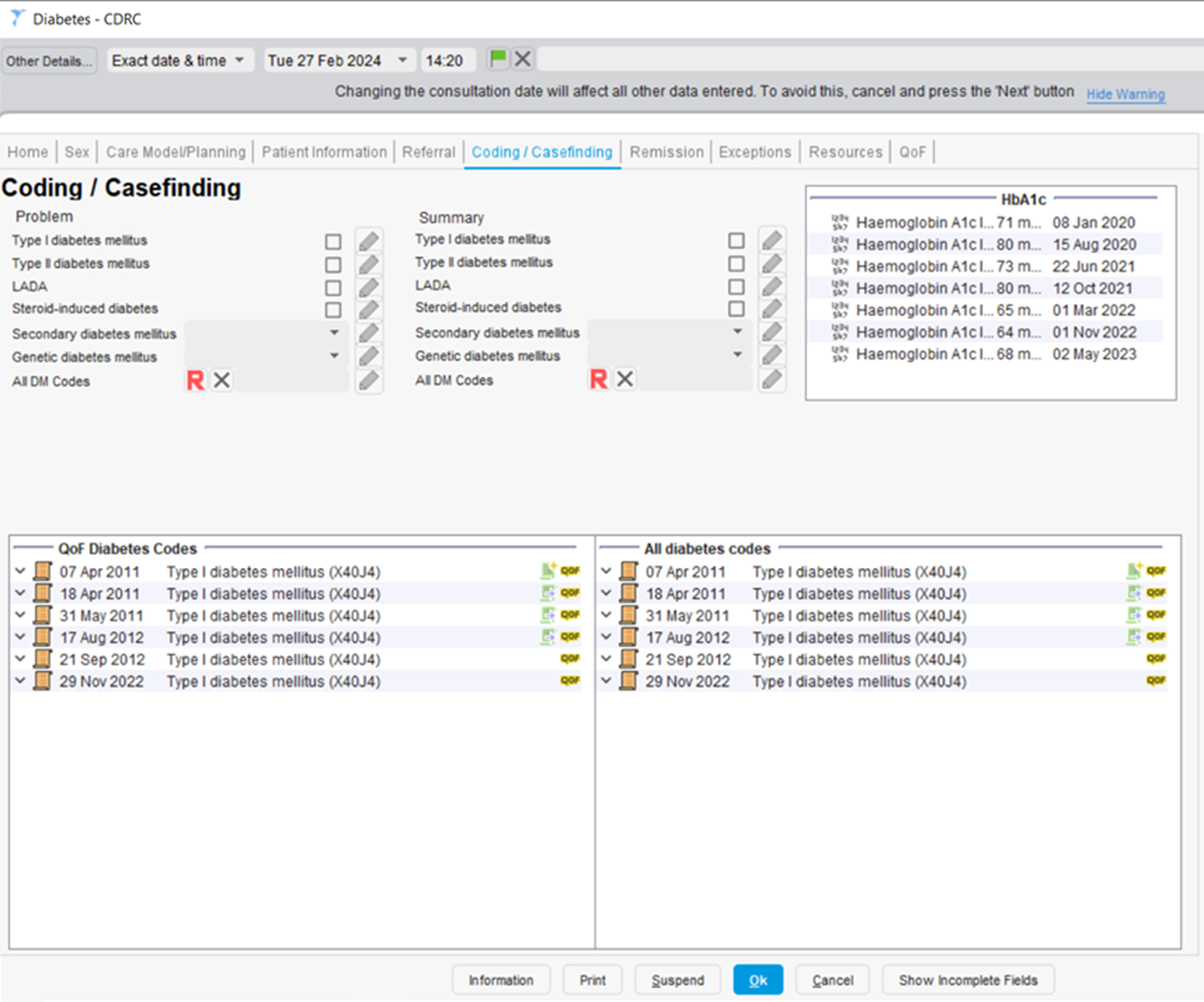
For example, the Coding / Casefinding page provides a summary of the patient’s diabetes coding history, their previous HbA1c results and allows you to quickly select a Diabetes code via a checkbox, drop down or by selecting any DM code from the codes hierarchy.
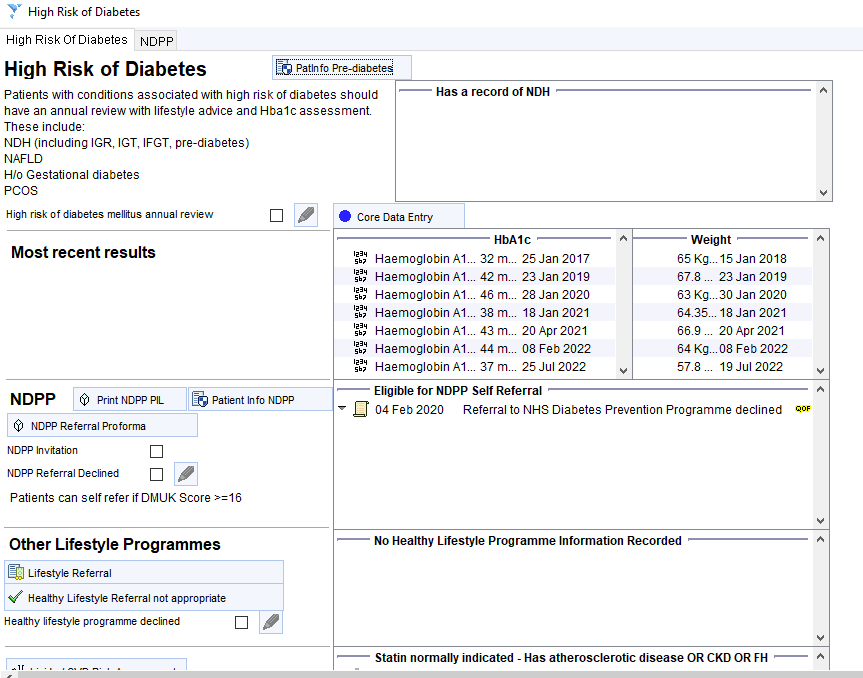
Annual Review for Patients known to be at High Risk: High Risk of Diabetes – CDRC Template
Guidelines recommend that patients with IGR/NDH, gestational diabetes, NAFLD or PCOS have an annual health assessment. This assessment should include measurement of BMI, BP, lifestyle intervention and an assessment of HbA1c level. The CDRC call/recall system can be designed to include recall for these non-QoF conditions.
The High Risk of Diabetes – CDRC template displays key measurements and information. Body measurements and lifestyle advice should be recorded and delivered via the Core Data Entry template as usual.
There is a link to a patient information leaflet about impaired glucose.
NHS Diabetes Prevention Programme
Consider a referral to a Diabetes Prevention Programme. The right hand panel shows if the patient is eligible for referral and the latest information about referrals.
Clicking on the DPP Referral button will allow you to create a DPP referral using a prepopulated proforma, first checking if this is available in your area and then whether the patient is eligible.
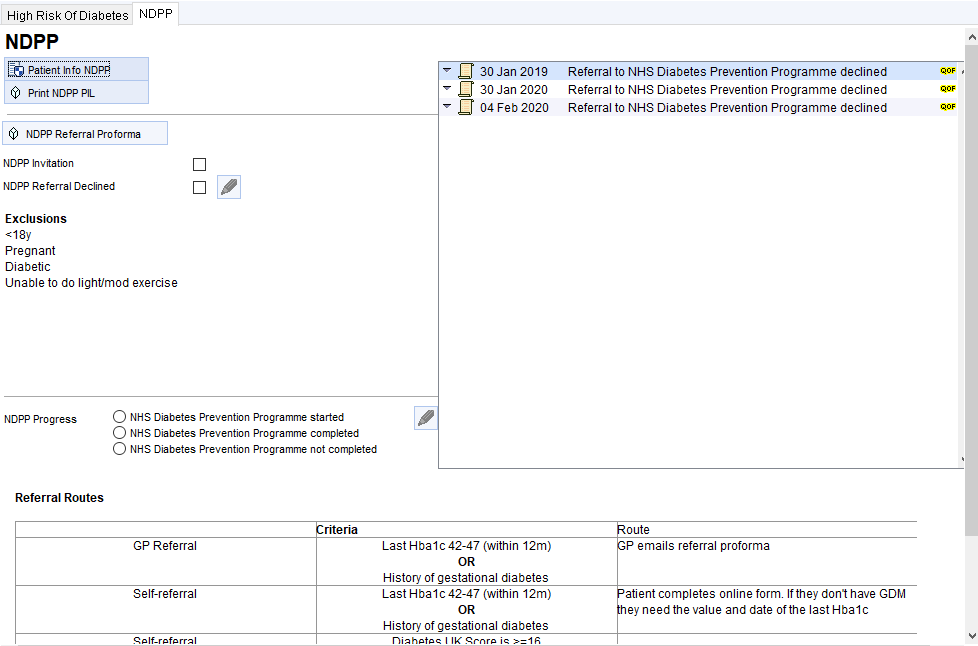
More detailed information about the NDPP for the patient can be found on the second tab of the template.
Other Lifestyle Programme Referrals
For patients who want lower level intervention than that offered by NDPP, there is a link to the lifestyle programme template at the bottom of the page.
Please get in touch if you want to set up the lifestyle programme referral for your area.
Visualisations
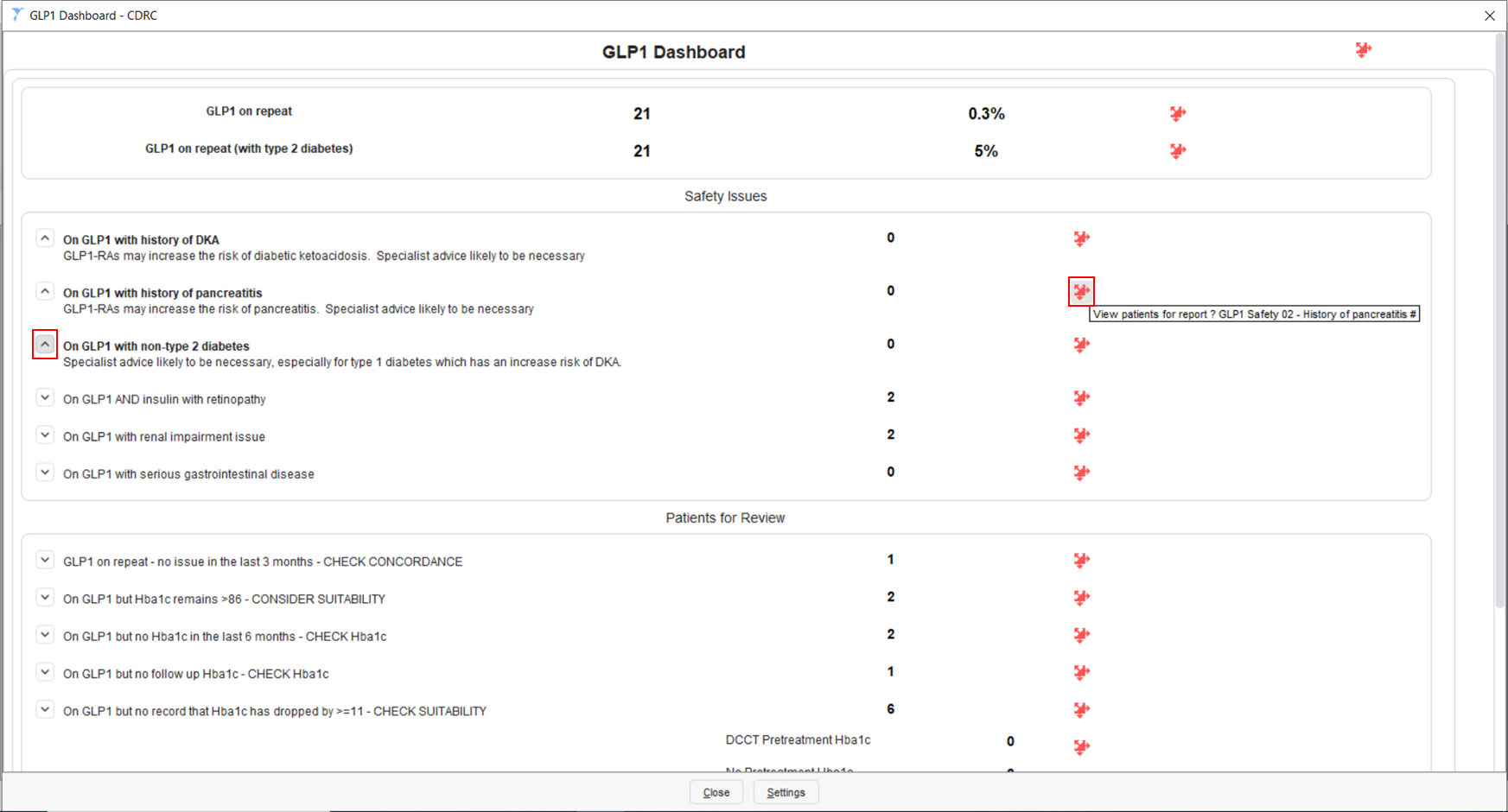
GLP1 Dashboard – CDRC
The GLP1 Dashboard – CDRC Visualisation can be accessed by typing in ‘Launch Visualisation’ in the search bar in the bottom left-hand corner of SystmOne’s main screen and select the returned feature. This will open the ‘Select Visualisation’ page where you can select the GLP1 Dashboard – CDRC visualisation.
This visualisation provides a summary of your unit’s GLP1 prescribing.
There are separate sections in this visualisation for Safety Issues and Patients for Review.
Expanding the nodes, as shown on the left-hand side of the visualisation, provides you with more information. Clicking on the red jigsaw piece will bring up the patient list containing the patients identified in each row.